Payroll, attendance & HR for companies in Pakistan
Payroll for every branch, with FBR tax worked out for you
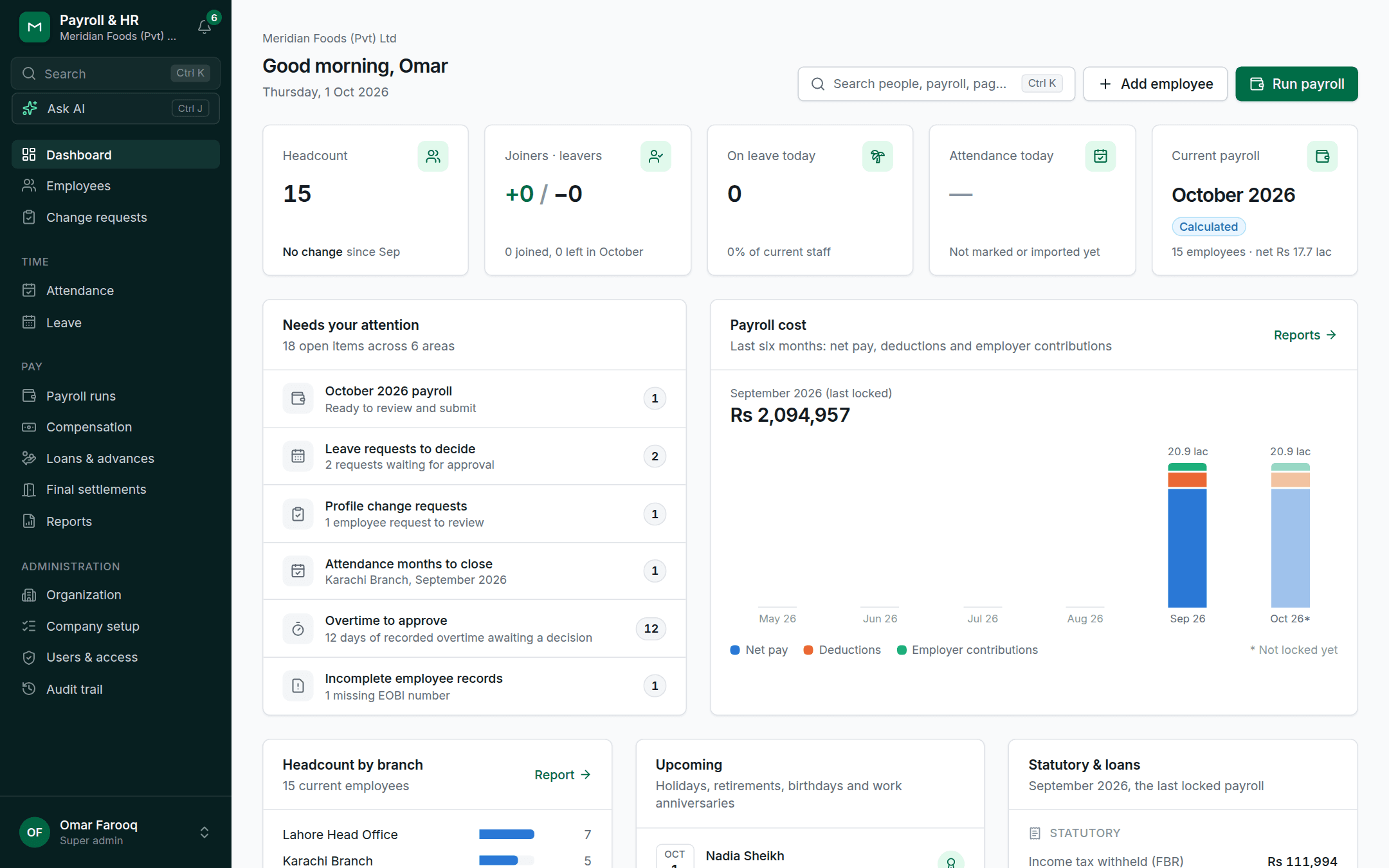
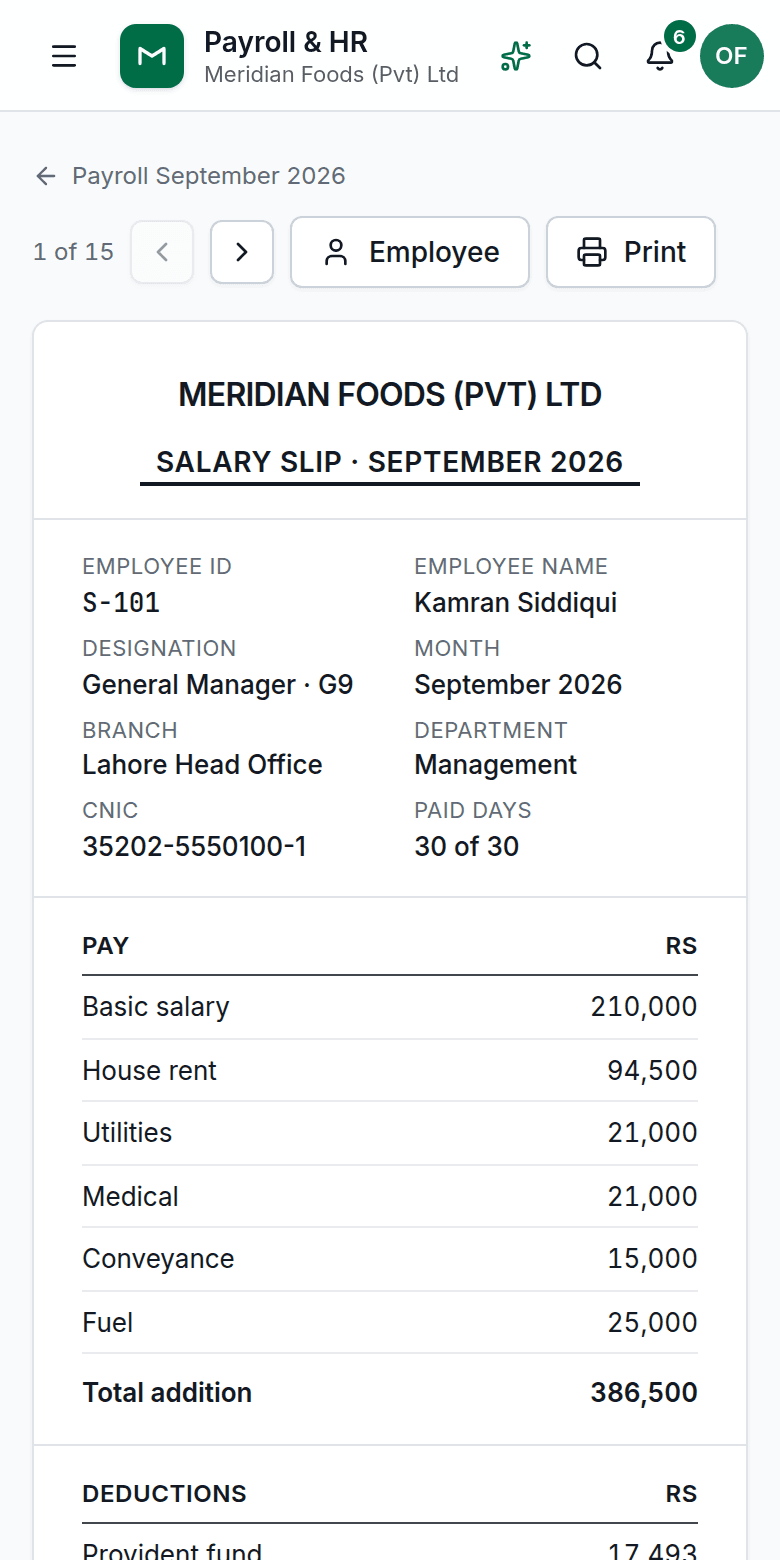
Government BPS pay scales or private-company pay, biometric attendance, leave, loans and final settlements in one place, with payslips your people can open on their phones.
No payment details needed · Ready with sample data in about half a minute
- FBR income tax (s.149)
- EOBI
- Provident fund & GPF
- BPS 1–22 & ARA
- Gratuity & leave encashment
- English & اردو
Features
Everything HR and Finance do each month
One system from joining to final settlement, built around how companies in Pakistan pay their people.
Payroll & FBR tax
Monthly runs for every branch with income tax under section 149 worked out year-to-date, EOBI, provident fund and GPF. Review, Finance approval, lock.
Attendance & biometric import
Import punches from ZKTeco-style devices, apply shifts, grace minutes and late rules, approve overtime, and close each branch's month into payroll.
Leave
Casual, earned, medical and maternity leave with accruals, carry-forward caps, public holidays and approvals. Unpaid days flow into payroll.
Loans & advances
Salary advances and staff loans with limits, guarantors and schedules, recovered through payroll month by month.
Final settlement
Leaver's last salary, leave encashment, gratuity, loan recovery and clearance from each department, with a printable statement.
Employee self-service
People see their payslips and tax certificate on their phone, apply for leave and ask HR to update their details.
Reports & statutory
Salary register, bank transfer file, journal, payroll variance, FBR tax, EOBI and fund reports, headcount and movements.
AI in English and Urdu
Ask questions about your people and payroll, get a payroll review before approval, and explain any payslip in plain English or Urdu.
Payroll
A month's payroll, reviewed and locked
- Calculate every branch at once, from basic pay, allowances, attendance, leave and loans
- Income tax worked out on year-to-date figures, with opening balances for a mid-year start
- Submit to Finance for approval, then lock: payslips become final
- Bank transfer file, salary register and journal for your accounts
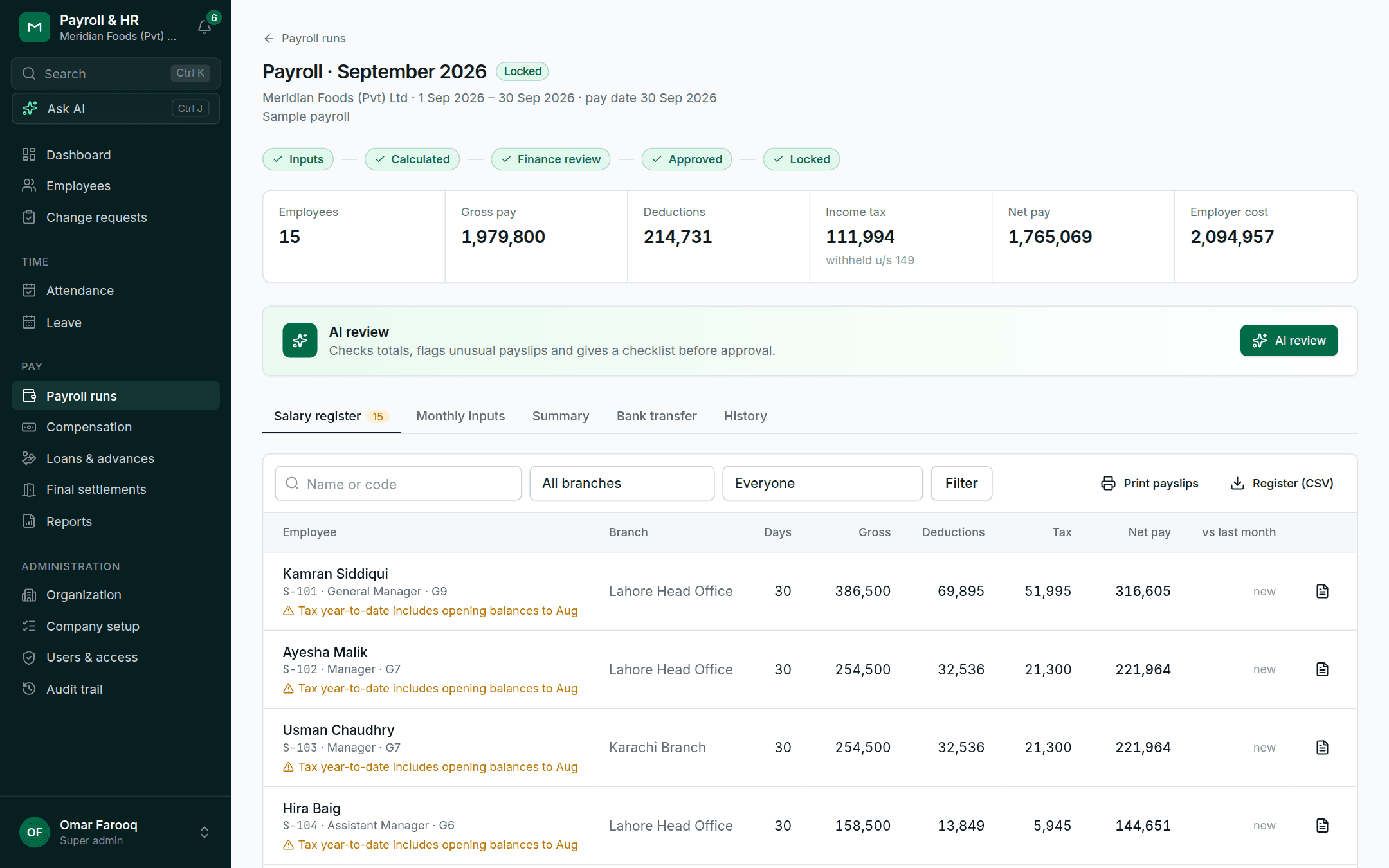
Payslips
Payslips anyone can understand
- Every line shows how it was worked out
- Your company's own payslip layout and letterhead
- Employees open their payslips and tax certificate on their phone
- An AI explanation of any payslip, in English or Urdu
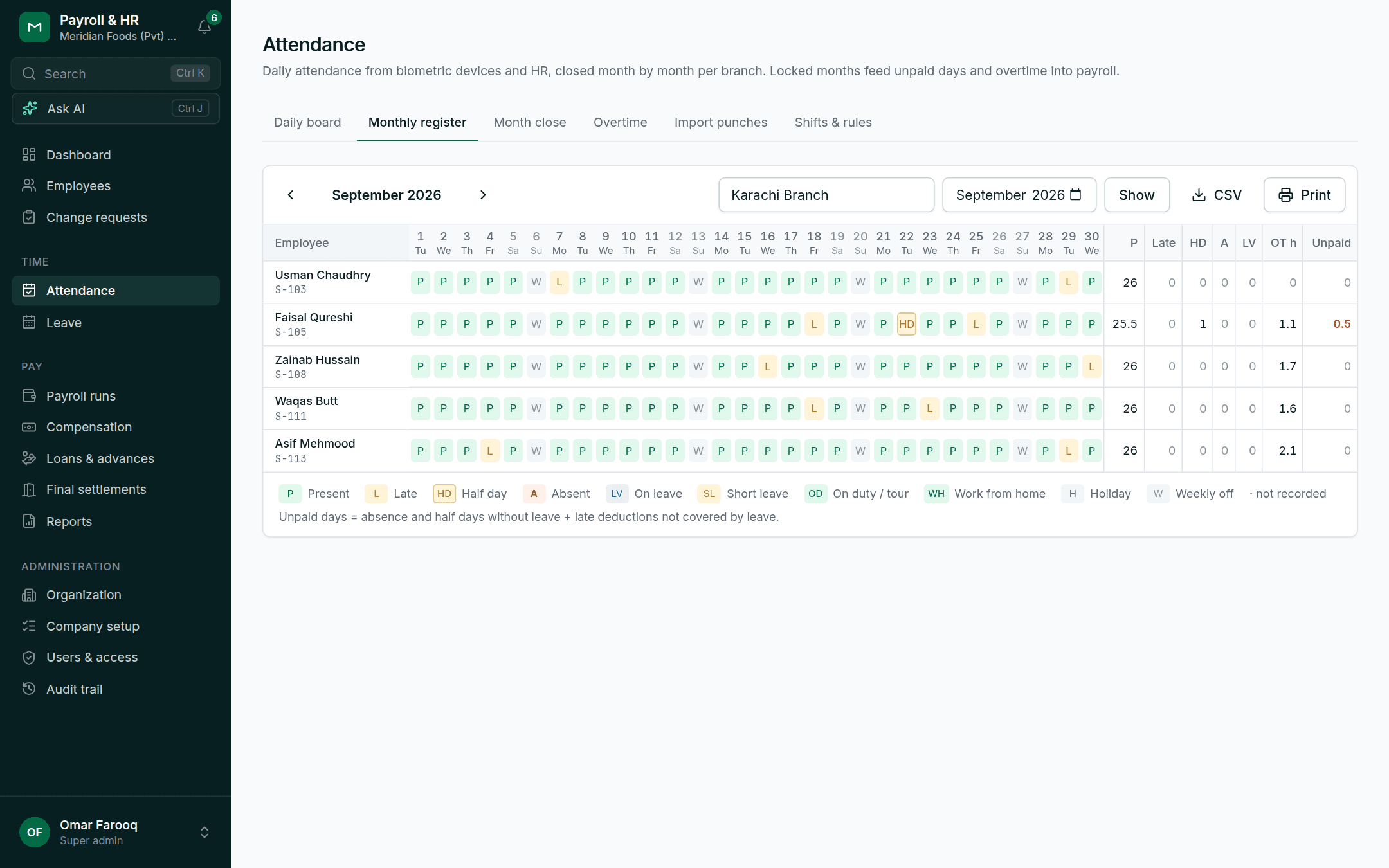
Attendance
From the biometric device to payroll
- Import punch files from your attendance devices, branch by branch
- Shifts, grace minutes, late and half-day rules, and overtime approval
- A monthly register for each branch, then close the month into payroll
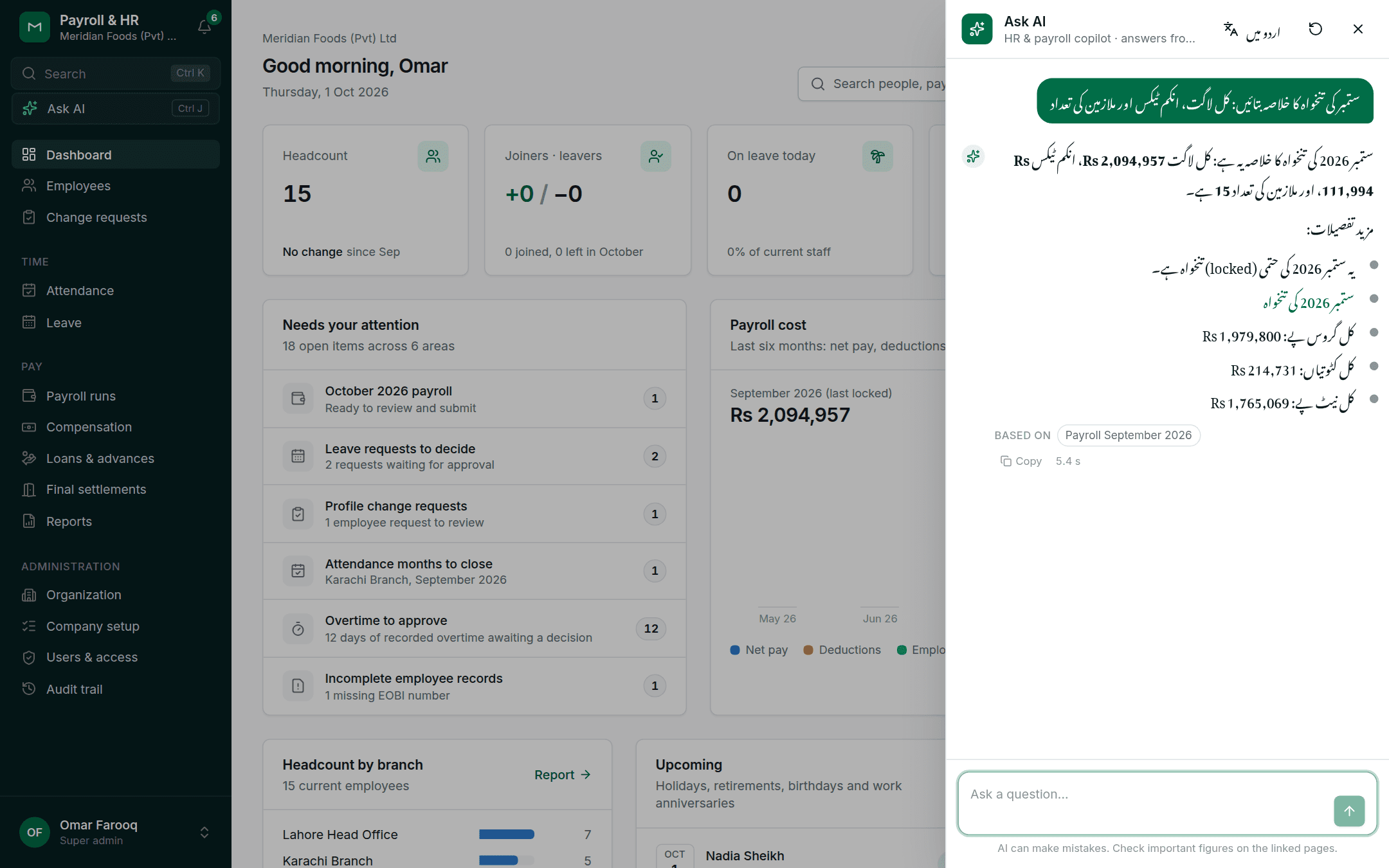
AI assistant
Ask in English or Urdu
- Answers come from your own live data, with links to the records they used
- A review of each payroll before approval that flags unusual payslips
- Can be switched off for your organisation at any time
How it works
Up and running in three steps
Start your trial
Tell us your company's name and choose government BPS pay scales or a private company. Your workspace is ready in about half a minute.
Try it with sample data
A fictitious company with 15 people, a locked payroll, leave, attendance and a loan is waiting. Invite colleagues from HR and Finance to look too.
Add your own people
Remove the sample data, import employees from a spreadsheet, bring in year-to-date tax for a mid-year start, and run your first payroll.
Security & data
Built for payroll data
Salaries, CNICs and bank accounts deserve care. Here's how the system looks after them.
Your organisation's data stays yours
Every organisation has its own workspace. The separation is enforced by the database for every record, not only by the screens.
Access by role and branch
HR, Finance, auditors, branch HR and branch managers each see only what their role and branch allow. Employees see only their own records.
A complete audit trail
Every change to people, pay and payroll is recorded with who made it, when and why. Locked payrolls can't be edited.
You stay in control
When a trial ends, your data is kept until you decide. Ask us to delete your workspace at any time, and AI features can be switched off.
Questions
Frequently asked questions
Is the trial really free?
Yes. The trial is free and fully featured, and we don't ask for payment details. If you'd like to continue afterwards, request an upgrade from inside the app and we'll get in touch.
What's in the sample data?
A fictitious company with 15 people across 3 branches: pay and allowances from your chosen setup, a locked payroll for last month and a calculated one for this month, leave balances and requests, a month of attendance punches for one branch, an active loan and a pending self-service request. You can remove it with one click.
Does it handle government pay scales?
Yes. The government setup comes with Basic Pay Scales 1–22 and annual increments, ad hoc relief allowances, GPF, group insurance and benevolent fund, and the federal leave rules. Everything stays editable.
We're starting in the middle of the tax year. Will the tax be right?
Yes. Enter each person's taxable income and tax deducted so far once, and income tax is worked out on the year-to-date figures from your first payroll.
Can we import our employees from Excel?
Yes. Upload a CSV saved from your spreadsheet, match the columns, and check the preview before anything is saved. Rows with problems are listed so you can fix and re-import them.
What happens when the trial ends?
The workspace pauses: nothing is deleted, but it can't be opened until you continue on a paid plan. The workspace owner can request an upgrade from the sign-in screen at any time.
Does it work on phones?
Yes. Every screen works on a phone, and employee self-service is designed for one.
Time tracker for hourly teams
A desktop app for Mac and Windows that records working time with screenshots and activity. Approved hours flow straight into payroll, with nobody typing them in.
Sign in with your payroll account. The first time, Mac asks you to right-click the app and choose Open; Windows may show a SmartScreen notice (More info, then Run anyway).